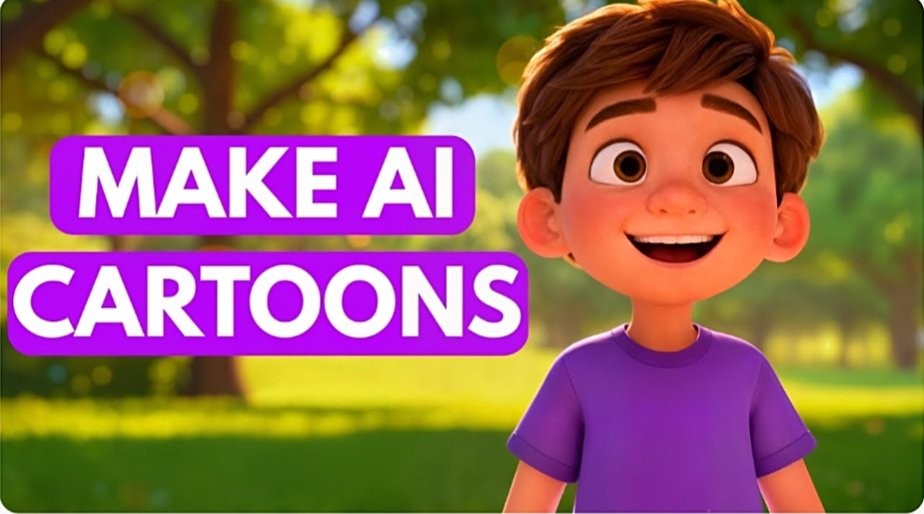
Creating animated cartoon videos once required professional animators, expensive software, and months of work. Today, artificial intelligence (AI) has completely transformed the animation industry. Whether you’re a content creator, marketer, teacher, or business owner, AI-powered tools can help you create high quality animated cartoon videos in a fraction of the time.
In this guide, you’ll learn how to make an animated cartoon video using AI, the best tools available, and practical tips to create engaging animations that capture attention.
Why Use AI for Animated Cartoon Videos?
AI animation tools simplify the entire video creation process by automating tasks such as character creation, voice generation, script writing, and scene animation.
Some key benefits include:
- Faster production time
- Lower costs compared to traditional animation
- No advanced design skills required
- Easy character customization
- Professional quality output
This makes AI cartoon video creation accessible to beginners and professionals alike.
Step 1: Plan Your Cartoon Video
Before using any AI tool, create a basic plan for your video.
Define Your Goal
Ask yourself:
- Is the video for YouTube?
- Is it for social media marketing?
- Is it educational content?
- Is it for entertainment?
Having a clear objective helps guide the style, script, and animation choices.
Write a Simple Script
A well-written script is the foundation of any successful cartoon animation.
Example:
Scene 1: A cartoon boy discovers a magical robot.
Scene 2: The robot helps him solve everyday problems.
Scene 3: They become best friends and save the town.
Many AI tools can even generate scripts automatically based on your topic.
Step 2: Choose an AI Cartoon Animation Tool
Several AI-powered platforms can help create animated videos quickly.
Popular AI Animation Tools
Animaker
Animaker offers drag and drop animation features, AI voiceovers, and customizable cartoon characters.
Vyond
Vyond is popular among businesses and educators for creating professional animated explainer videos.
Renderforest
Renderforest provides ready made animation templates and AI powered video creation features.
Powtoon
Powtoon helps users create engaging cartoon videos for presentations, marketing campaigns, and social media.
Adobe Express AI
Adobe’s AI-powered features simplify character design, video editing, and content creation.
Step 3: Create Your Cartoon Characters
Characters bring your story to life.
Most AI animation platforms allow you to:
- Customize facial features
- Change clothing styles
- Adjust emotions and expressions
- Create unique cartoon avatars
For example, if you’re making a children’s cartoon, you can create colorful, friendly characters with expressive faces.
AI Character Generators
Many tools now generate cartoon characters from text prompts.
Example prompt:
Create a cheerful cartoon scientist with glasses, blue hair, and a futuristic lab coat.
The AI generates a ready to use character within seconds.
Step 4: Generate AI Voiceovers
Hiring voice actors can be expensive. AI voice generators provide a cost-effective alternative.
Benefits include:
- Multiple languages
- Different accents
- Natural sounding voices
- Fast voice generation
Simply paste your script into the AI voice tool, select a voice style, and generate narration instantly.
Step 5: Build and Animate Scenes
Once your script, characters, and voiceovers are ready, it’s time to create scenes.
Add Backgrounds
Use AI-generated backgrounds such as:
- Cities
- Schools
- Forests
- Space environments
- Fantasy worlds
Animate Character Movements
Modern AI tools automatically animate:
- Walking
- Talking
- Hand gestures
- Facial expressions
This saves hours of manual work.
Sync Voice and Animation
Many AI platforms automatically synchronize mouth movements with voiceovers, creating realistic character speech.
Step 6: Add Music and Sound Effects
Sound plays a crucial role in audience engagement.
Consider adding:
- Background music
- Cartoon sound effects
- Transition sounds
- Action effects
Choose audio that matches the mood of your story.
For example:
- Upbeat music for comedy cartoons
- Dramatic music for adventure scenes
- Calm music for educational videos
Step 7: Edit and Export Your Video
Before publishing, review your animation carefully.
Check for:
- Script errors
- Audio synchronization
- Scene transitions
- Character consistency
- Video quality
Export your video in HD or 4K resolution if supported by your platform.
Popular export formats include:
- MP4
- MOV
- AVI
Tips to Create Better AI Cartoon Videos
Keep Videos Short and Engaging
Attention spans are shorter than ever. Aim for concise storytelling that delivers value quickly.
Focus on Strong Storytelling
Even the best animation cannot compensate for a weak story. Create relatable characters and interesting plots.
Use High Quality AI Voices
Natural-sounding narration improves viewer retention and professionalism.
Optimize for Social Media
Create vertical or square formats for platforms such as YouTube Shorts, Instagram Reels, and TikTok.
Experiment with Different Styles
AI allows you to test various cartoon styles, from educational animations to cinematic storytelling.
Common Mistakes to Avoid
- Overloading scenes with too many elements
- Using robotic sounding voiceovers
- Ignoring audio quality
- Creating overly long videos
- Skipping script planning
Avoiding these mistakes can significantly improve your final animation.
Conclusion
Learning how to make an animated cartoon video using AI has never been easier. Modern AI animation tools handle character creation, voice generation, scene design, and editing, allowing anyone to produce professional looking cartoon videos without advanced technical skills. By combining a strong script, engaging characters, quality voiceovers, and creative storytelling, you can create captivating animated content for YouTube, social media, education, or business marketing. As AI technology continues to evolve, cartoon video creation will become even faster, smarter, and more accessible for creators worldwide.